About the project
I’m a UX researcher turned floral designer with inattentive ADHD. I photograph everything I make, but turning those photos into something I can show clients takes more effort than I’d like. I’ve tried favorites, collections, albums and folders, often getting caught up in the organization system itself.
There’s an emotional side, too. Reviewing my work can bring out perfectionism. Sharing work feels more inviting when I care about the piece or have a story to tell about it. Sometimes I know a particular person will love it. I built Maker Board around that motivation for RevenueCat Shipaton 2026.
From camera roll to useful set
An early model came from cooking: ingredients in the fridge, a prepared set within reach, and a finished dish. My camera roll holds the ingredients. A proposal, portfolio or post is the finished dish. Maker Board is the preparation in between.
For a bees-and-honey-themed event proposal, I needed examples of seasonal flowers and past arrangements in orange-gold and rosy peach. I knew what I wanted to communicate, but gathering the examples meant sifting, scrolling and plenty of opportunities to get distracted.
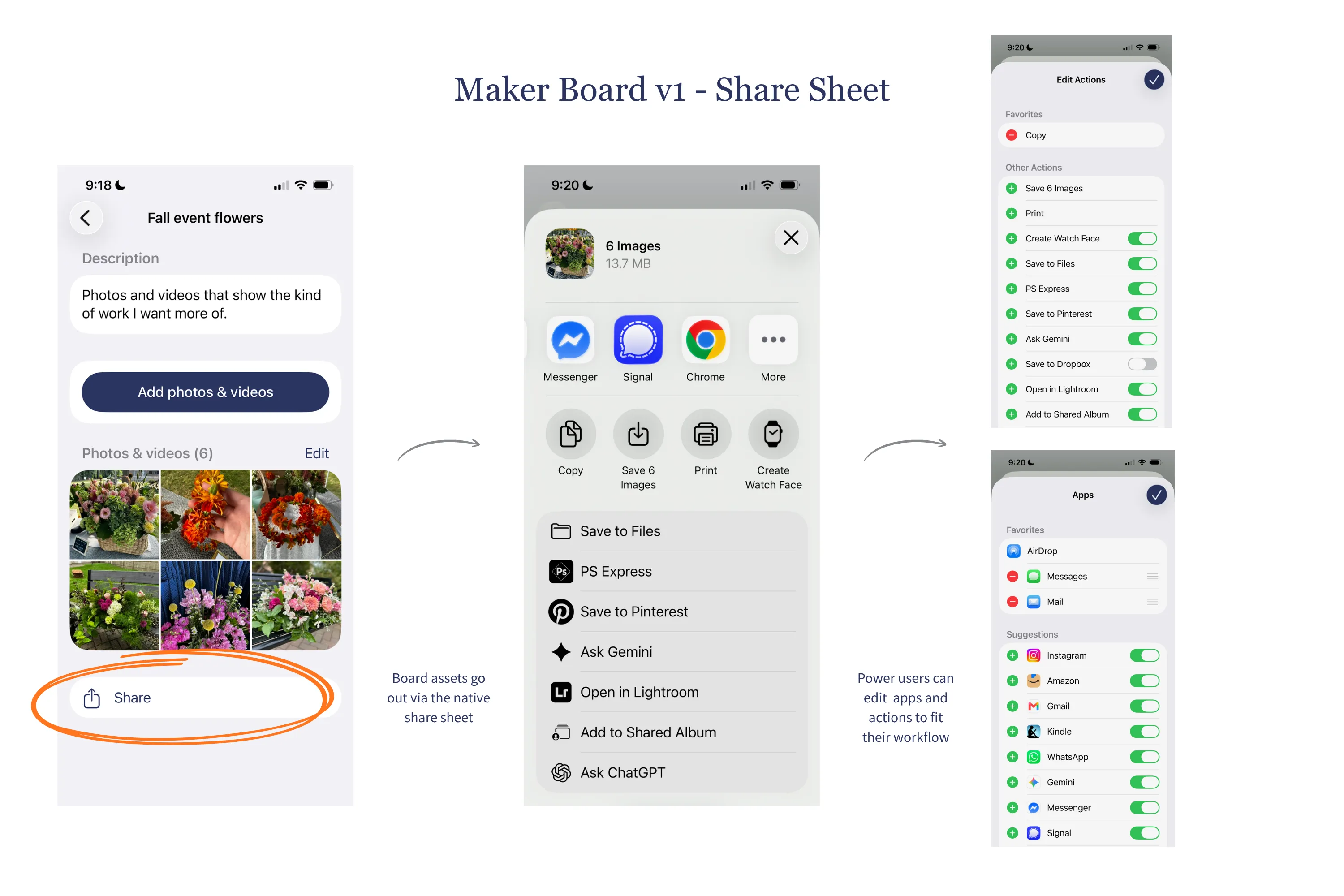
In Maker Board, you start with a purpose, then add a title, description and media from Photos. Saved boards can be updated and reused, and their media shared through the iPhone’s native share sheet. Removing an item from a board leaves the original in Photos.
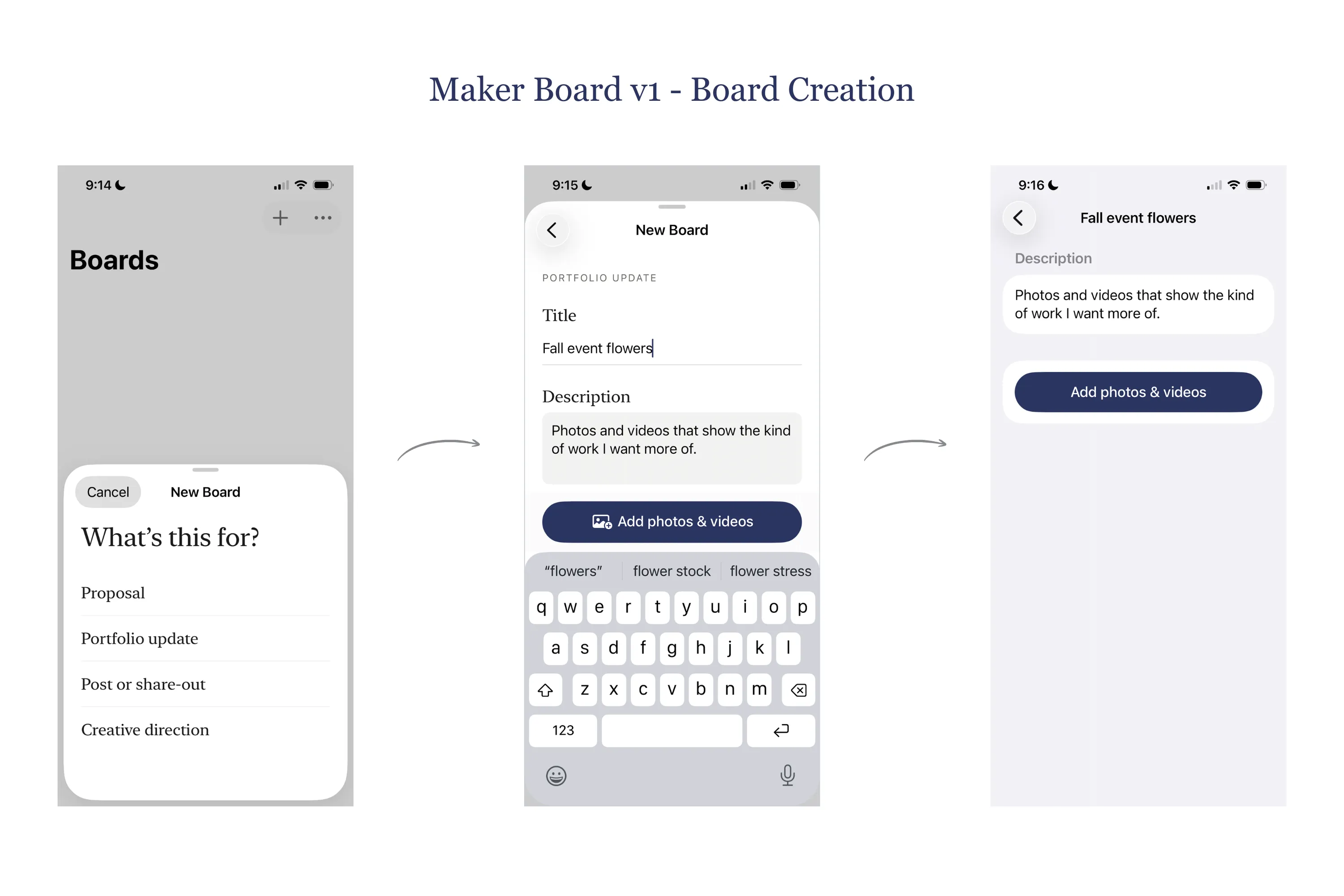
Giving the experience a starting point
An early prototype built with Claude Code and Codex felt like an “empty room.” The functionality existed, but the experience needed context to make its value clear.
That led to onboarding, clearer board information and a flow that begins with what someone wants to accomplish. My research and design work focused on helping someone start a board and reach a useful stopping point without making too many decisions along the way. I kept the first release focused on photos and videos.
Working with coding agents also required maintaining that context. I gathered user needs, use cases, UX principles and technical decisions in the repo, then worked to keep the agents following current decisions without reviving discarded approaches.
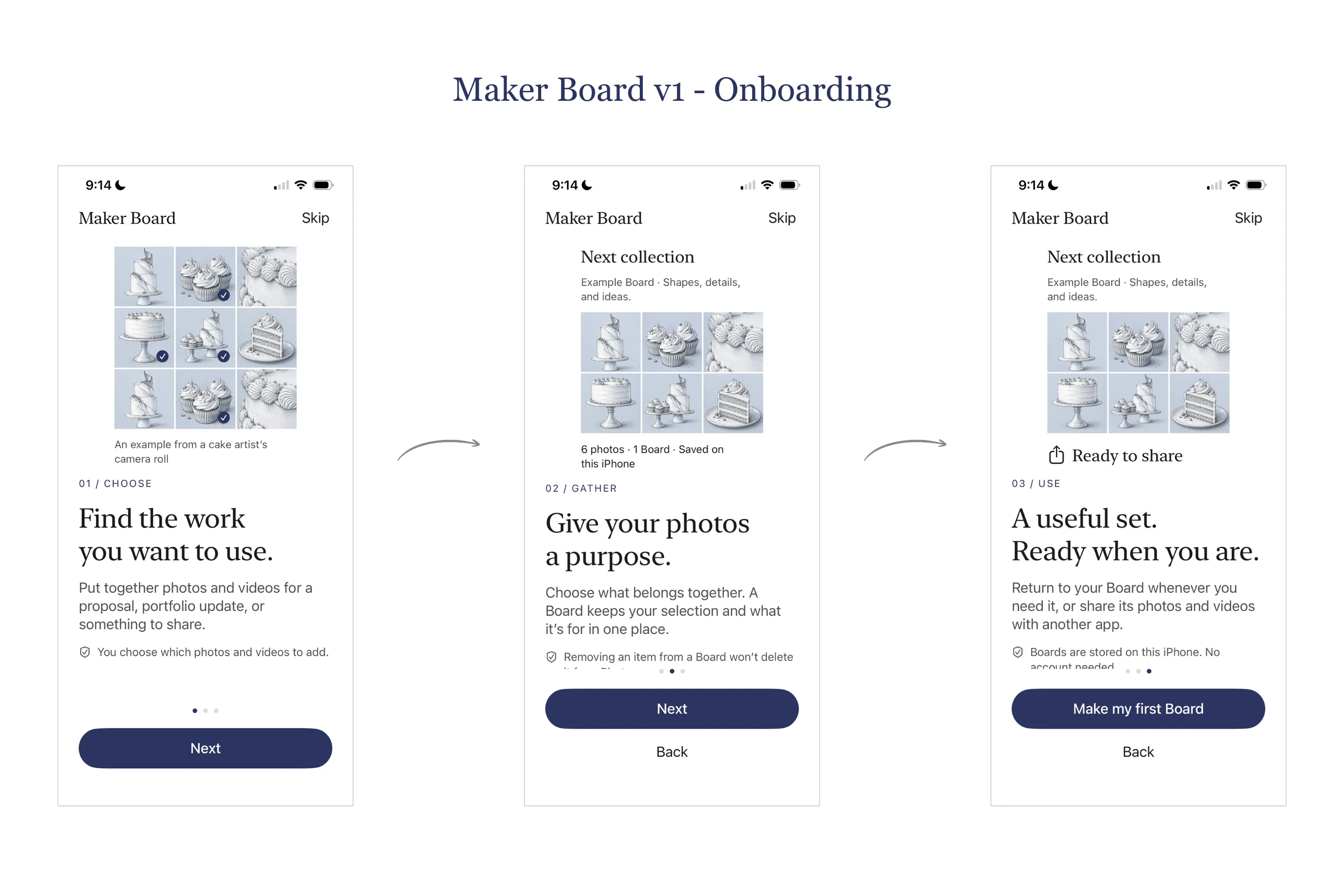
Building and releasing
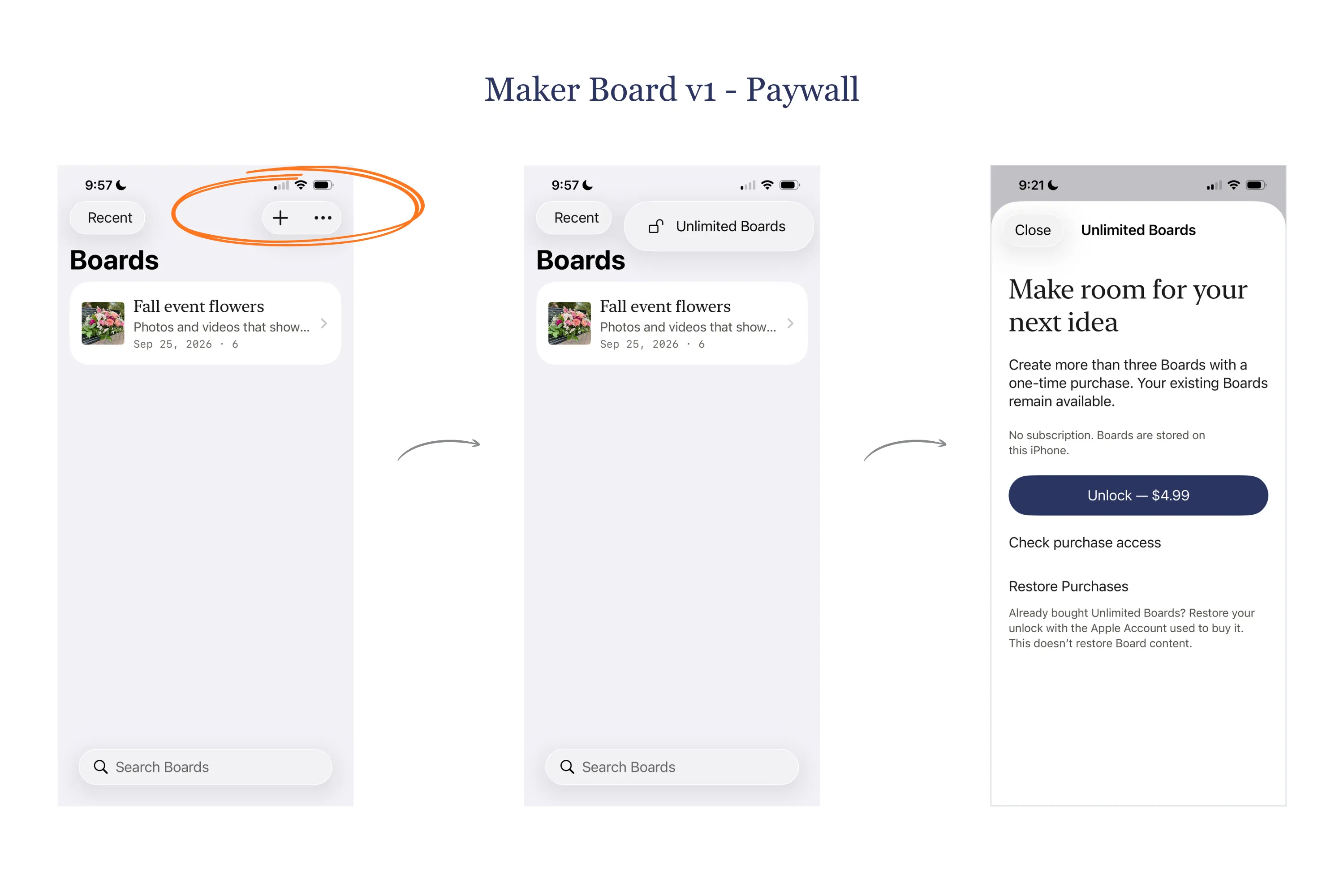
The first three boards are free; a one-time purchase unlocks unlimited boards.
This was my second app release and my first paywall. Implementation challenges included sharing photos and videos correctly and verifying that purchases stayed unlocked and could be restored on another device.
Now that v1 is out, my next step is to put it into makers’ hands and learn how it fits their actual workflows.
See sharing and purchase screens
Interested in working together? Get in touch.
← Back to selected work